Mini Cyberdeck
A pocket terminal for answering Claude Code away from the desk: an ESP32-S3, a two-inch screen and eight keys under the thumb.
A working prototype that answers Claude Code with a thumb. On build day, review caught about 50 defects before they reached it.
- my part
- The brief, the hardware and the testing on the device. The firmware was written by Claude Code.
- when
- 31 August to 24 September 2026, commits on six of those days
- context
- Personal
- with
- Claude Code wrote the firmware (140 of the repo's 141 commits carry its name) and ran the design panels and reviews
- status
- Prototype
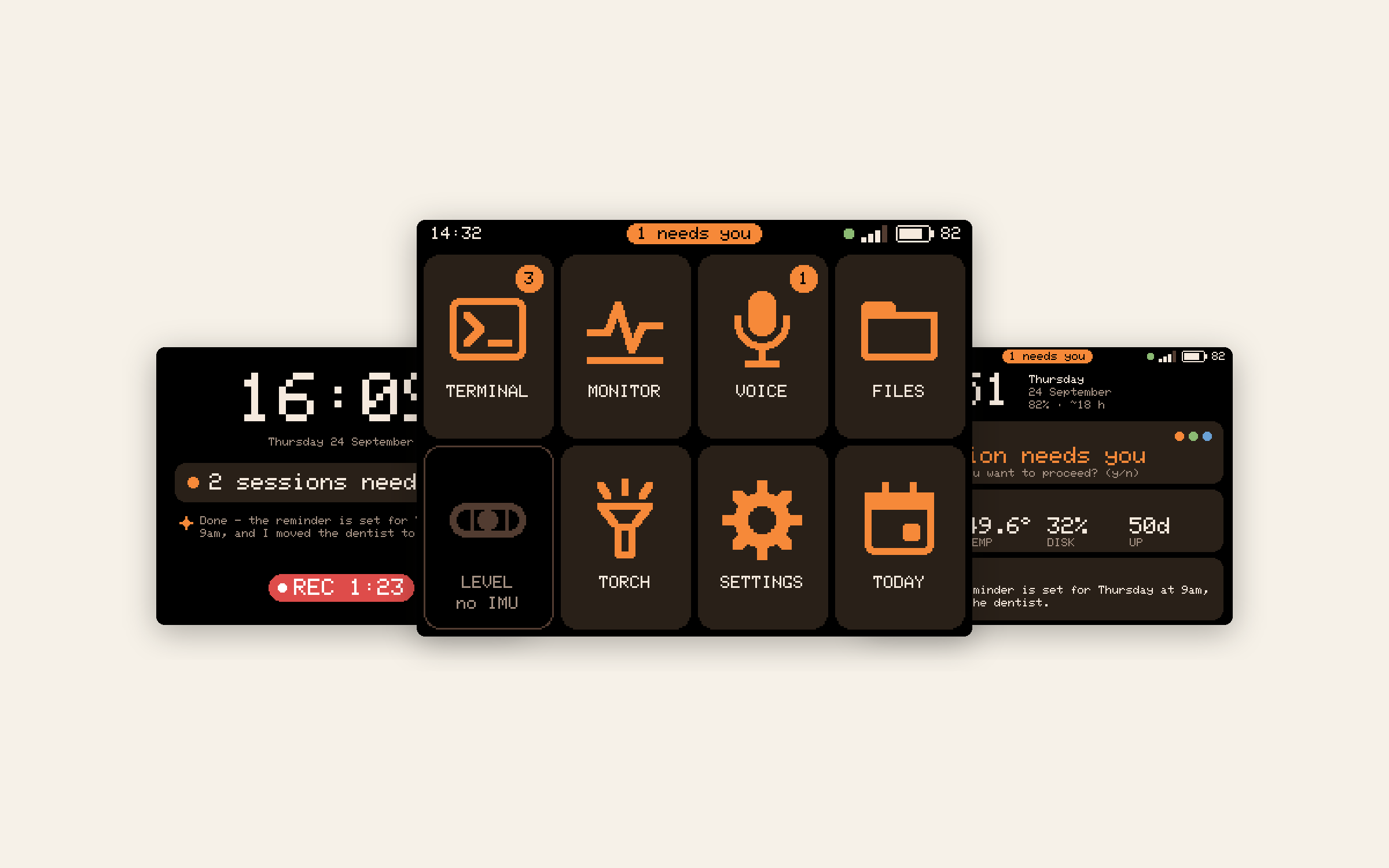
Mini Cyberdeck, in 3D

outcomes
1.2 s
from the firmware starting to the launcher, down from 5.2 s on 12 September, the last reading before build day. From reset: 2.0 s, down from 6.0 smeasured · sourceThe device's boot logs. 24 September, the flash-and-watch log captured in the build session: '(1991) phase2: [t+1185ms] going home', 1,185 ms on the firmware's own clock and 1,991 ms after reset. 12 September, the last boot log before build day: '(5962) phase2: [t+5234ms] going home', 5,234 ms and 5,962 ms on the same two clocks. Boots on 3 September read 5.1 to 5.3 s on the firmware's clock and 5.8 to 6.1 s from reset.
~50
defects caught by review on the evening of 24 September, before they reached the devicereported · sourceThe Build Day report written at the end of the 24 September session: 'This evening alone they found about 50 defects before they reached you.' The report itemises 8, 9, 8 and 8 findings for four of the M10 and M11 reviews (33), and the FILES review at 17:36 reported 15 real findings. Those add to 48; the report's 'about 50' is its own round figure, and it gives no counts for its other reviews.
65
images drawn on a laptop by the firmware’s own code: 55 app screens and 10 toolkit sample sheetsmeasured · sourceThe host harness tools/uk_host_test at firmware build b60d541 (24 September 2026): 47 render() and 8 save() calls in screens.c, which draw the app screens, and 10 images from render.c, which draws toolkit sample sheets (icons, sprites, a type specimen, demo lists, a text viewer at two scales, two standby faces). Built with -fsanitize=address,undefined. Sample data, with the Wi-Fi name replaced. The reply sheet is not among them: it draws straight to the panel, so the harness cannot render it.
The brief
On the evening of 31 August I gave Claude Code a brief: a battery handheld that joins my tailnet and opens a shell on a remote host, which became my Raspberry Pi 5, built in phases that stop at every gate, because I have to flash the board and look at it and it can’t. Forty minutes later I told it to build all the phases now. Just after ten that night it was showing a live tmux session. Twenty minutes later, once scrolling worked, I asked how it could be a better Claude Code buddy, and a few minutes after that said I wanted to avoid connecting a keyboard.
Claude Code stops when it needs a person: a permission prompt, a yes or no, a choice of three. Away from the laptop, that question waits until somebody sees it. So the device has one job: tell me, and let me answer with a thumb.
I should say who did what. I wrote the brief, wired the hardware and tested the builds on the device. Claude Code wrote the firmware: 140 of the repo’s 141 commits carry its name. Its design panels and reviews proposed much of the interaction detail, and I kept what worked in my hand and sent back what didn’t, from a touch calibration that was “too harsh” to a power-off that woke straight back up.
Eight keys on one wire
decision 1
The key pad is the launcher

2-inch screensourceThe device guide's spec table: a 2-inch IPS panel, 320 × 240.
8 keys, one wiresourceFirmware commit 7b2c19e, 2 September 2026: an 8-button resistor ladder on GPIO7, 4 wide by 2 tall.
2-inch screensourceThe device guide's spec table: a 2-inch IPS panel, 320 × 240.
8 keys, one wiresourceFirmware commit 7b2c19e, 2 September 2026: an 8-button resistor ladder on GPIO7, 4 wide by 2 tall.
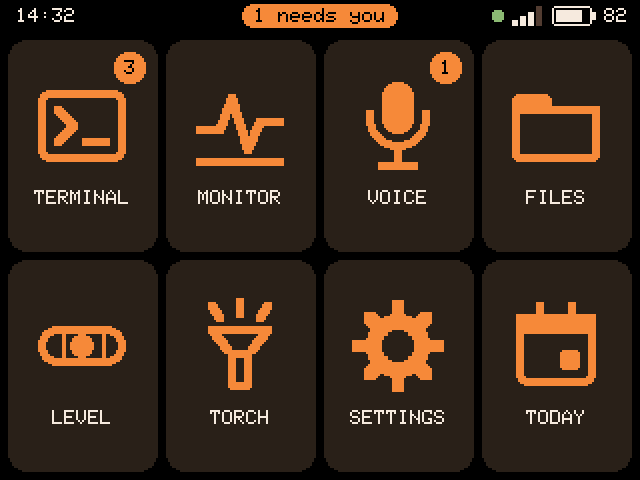
By 2 September I had added eight keys under the screen, four across and two down. For a rapid prototype, I cut holes for them and a window for the screen into the plastic box that came with a two-inch display, and photographed it that day. All eight share one analogue pin, each at its own voltage, and I built the ladder from the resistors I had on hand: a 1k where a 10k should go, then two 5k in series when that read wrong. The firmware learns what each key reads, so the exact resistor values and their tolerance don’t matter, as long as every key reads differently. It switches off any key that reads too close to another and keeps the rest, and it leaves the whole pad off if fewer than three can be told apart. The first time I ran it, it refused to arm because the ladder I’d built read wrong. The launcher takes the pad’s shape, eight tiles in four by two, so each key opens the tile in its place.
0.6ssourcemain/buttons.c:61-62 at b60d541: LONG_PRESS_MS 600, LONG_MAX_MS 1500.between a press and a hold
Nothing happens while a key is down. Let go before 0.6 seconds for the short action; hold, and the screen names the long action as you cross into it; past 1.5 seconds it says CANCELLED and letting go does nothing. Holding Enter used to send struck out: continue to the agent. Held a shade too long, it typed the word into Claude Code instead of confirming, so “continue” moved to the reply sheet and holding Enter now opens the keyboard, which sends nothing until you do.
To hand one to someone else, it has to learn its keys on their unit. Setup runs once, before the launcher: calibrate the touch, join Wi-Fi, add the handheld’s key on the Pi, then press each key as it lights on a drawing of the pad.
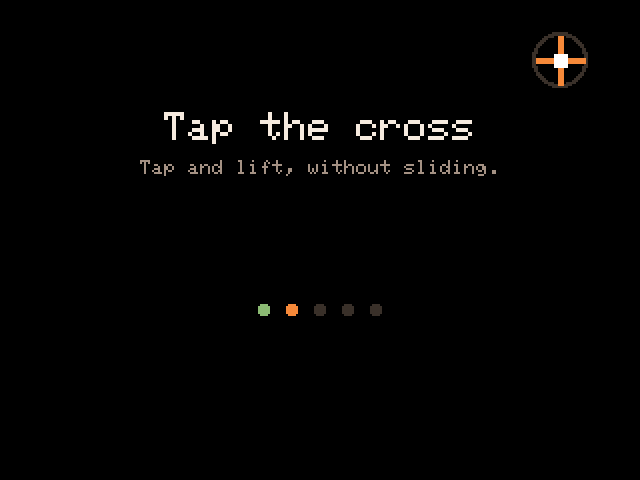
1Calibrate the touch
Five crosses set in from the corners, which the digitiser doesn't quite reach.
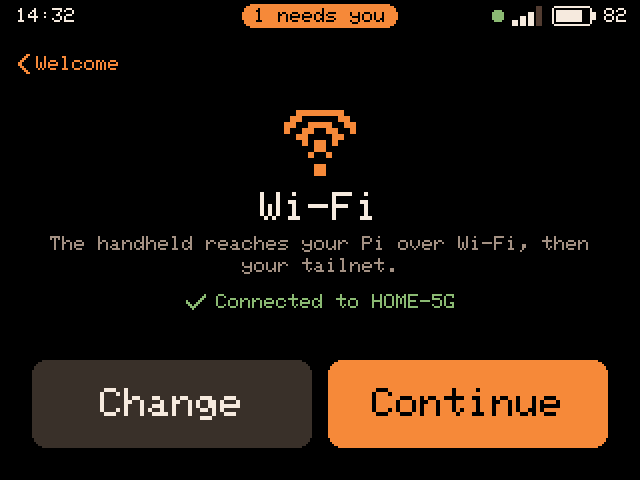
2Wi-Fi
Join a network, or skip it and finish later in Settings.
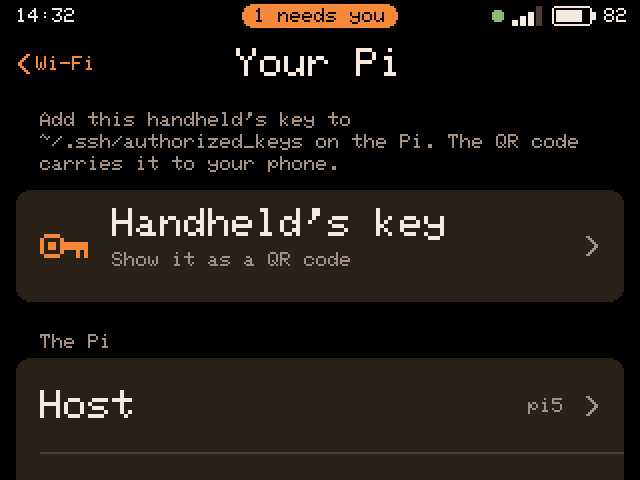
3Your Pi
The handheld's key as a QR code, to add on the Pi from a phone. No Pi password touches the device.
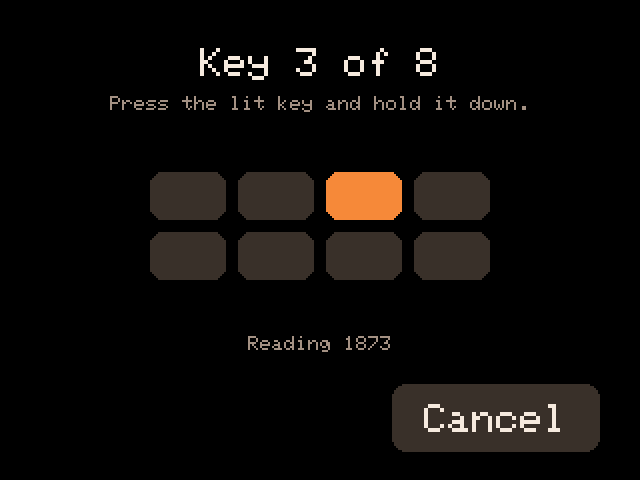
4Learn the keys
Each key lights on the pad drawn on screen: press it and hold.
Every drawn screen on this page except the reply sheet is the firmware's own screen code, drawn on a laptop with sample data. The Wi-Fi name is a stand-in.
Answering from a pocket
decision 2
Answer with the question still on screen
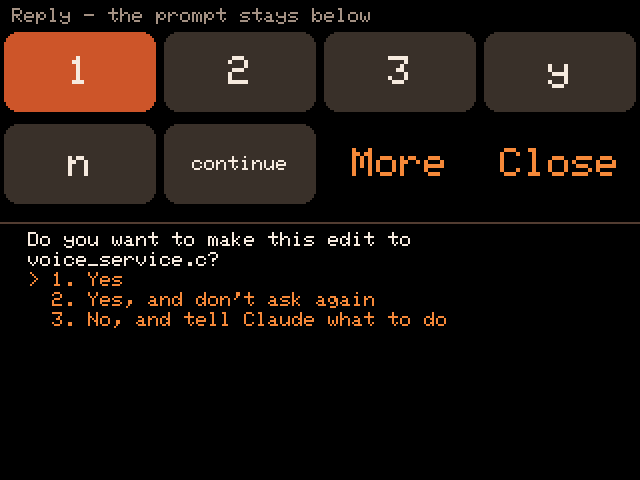
top half
the question, still on screen
top half
the question, still on screen
The device reads Claude Code’s state from the terminal itself. The bell it rings when it stops for a person means NEEDS YOU; braille spinner glyphs, or output in the last 2.5 seconds, mean WORKING. Put down, the standby face says which in large type, and a NEEDS YOU lights the screen even untouched. Press Reply, or double-tap the glass, and the sheet covers the top half only, so the question keeps painting underneath. The first reply menu covered the whole screen and hid the prompt it existed to answer; the design panel I asked for on day three caught it.
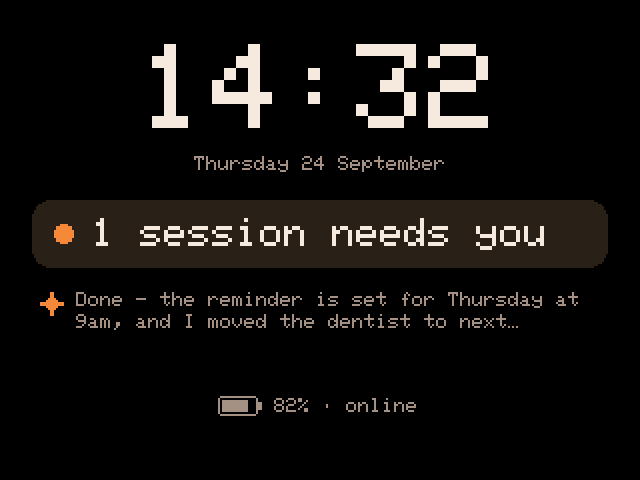
1It needs you
Put down, the standby face says so in large type, lit even untouched.
2Reply
The sheet takes the top half. Claude Code's question keeps painting below it.
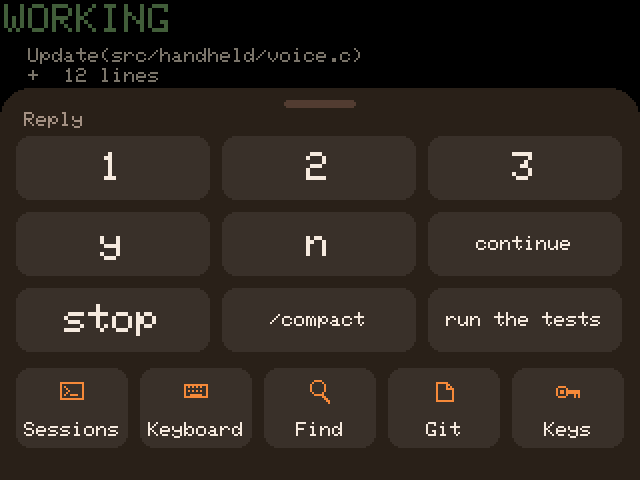
3Or MENU, for the rest
Quick replies, your own among them, then Sessions, Keyboard, Find, Git and Keys.
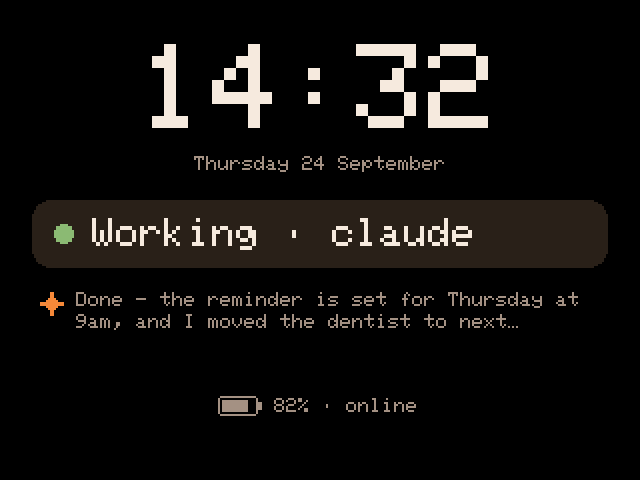
4Back to work
Put down again, the face says Working.
Sleep follows the hand. While you move it in your hand the screen stays lit; hold it still for a couple of seconds and it counts as put down, dropping to the standby face after 45 seconds by default. Face down, it switches off at once, and with Raise to wake on, which is the default, it lights as you pick it up.
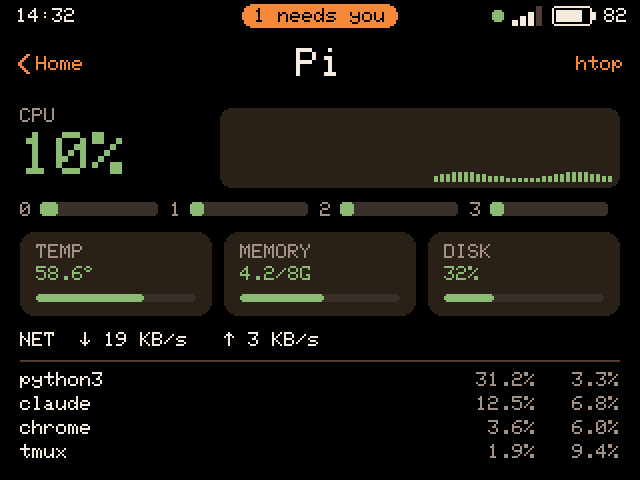
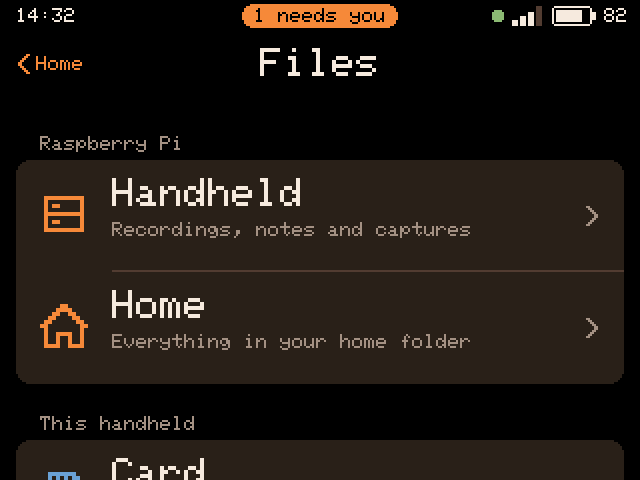
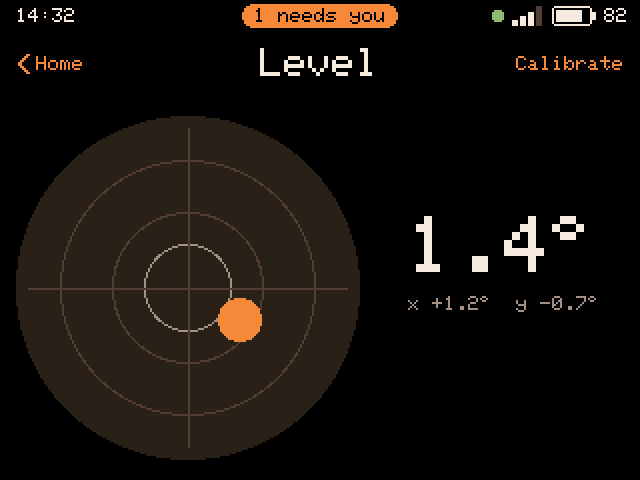
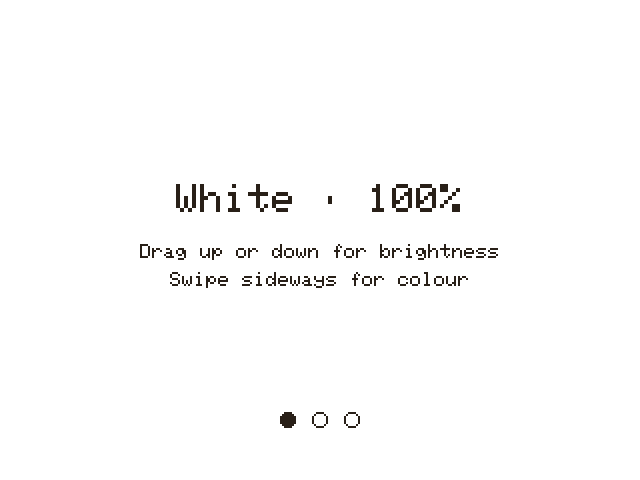
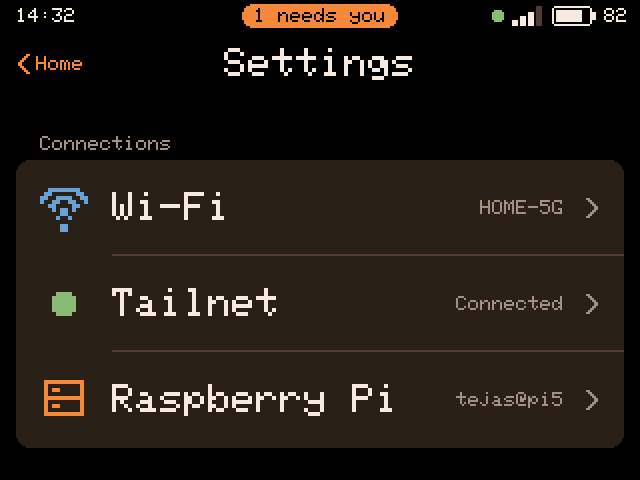
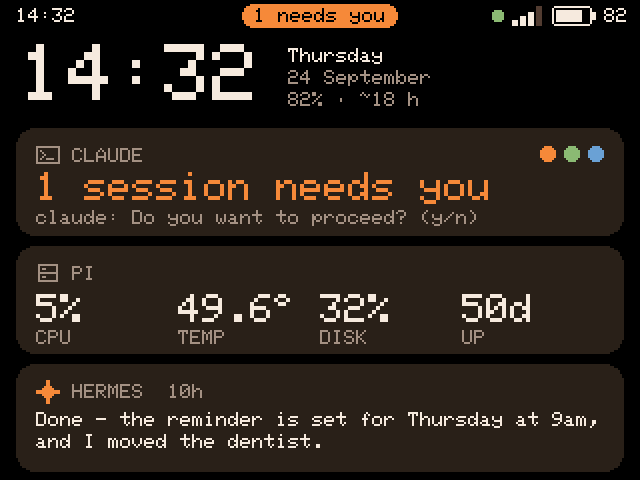
The same screens, wired together:
Voice notes
decision 3
A voice note can be a request to act on
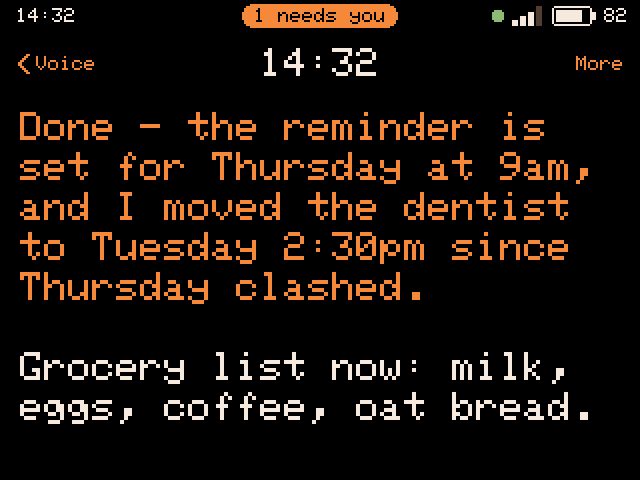
outcome first
no question back
outcome first
no question back
On 12 September I asked for the recorder to feed Hermes, the agent on the Pi. A note recorded in VOICE goes over the tailnet, is transcribed by Whisper through OpenRouter, and Hermes answers on the device. It worked, and that night I asked why Hermes did so little with the notes: its prompt told it to file each one and reply in a single line. Now Hermes works out whether a note is something to keep, a question or a request, uses its tools to do what the note asks, and answers for a 320 by 240 screen: the outcome first, and never a question back. On 24 September the recorder and the notes list became one VOICE app at my ask, and you decide what a take is for after you’ve made it.
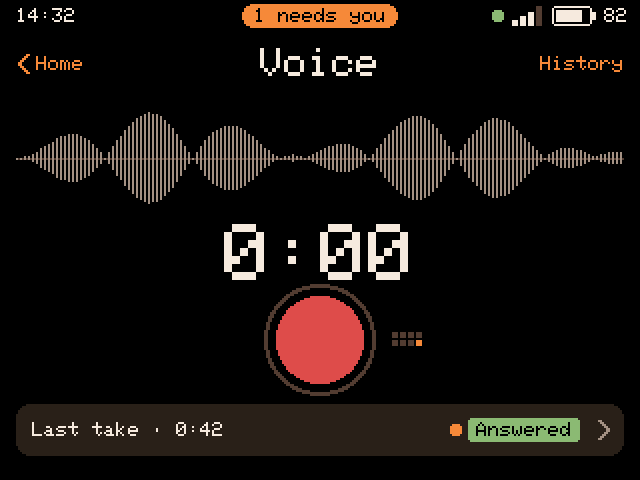
1Record
One button. Holding VOICE's key on the launcher starts recording at once.
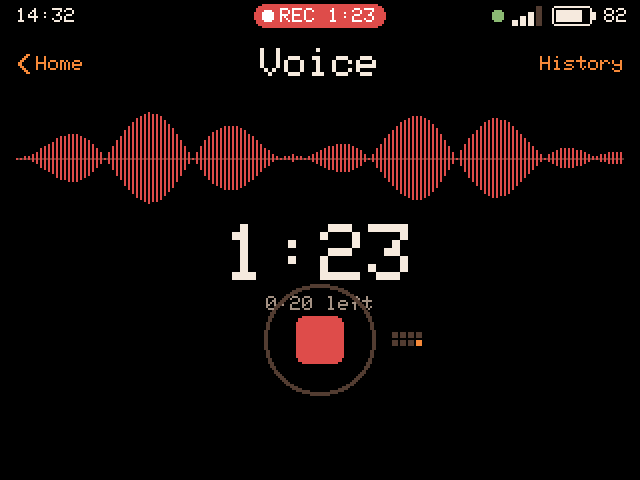
2Recording
A running timer shows, with a countdown once you are near the limit, and REC stays in the status bar.
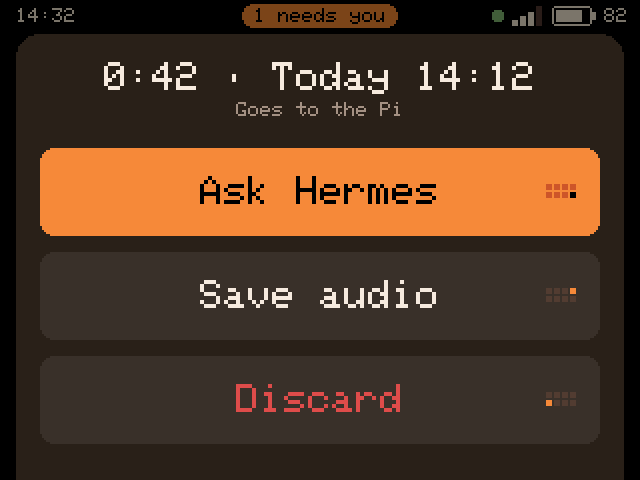
3After the take
Ask Hermes, save the audio, or discard it.
4The answer
Outcome first, in large type.
Updates
decision 4
A failed update says what actually failed
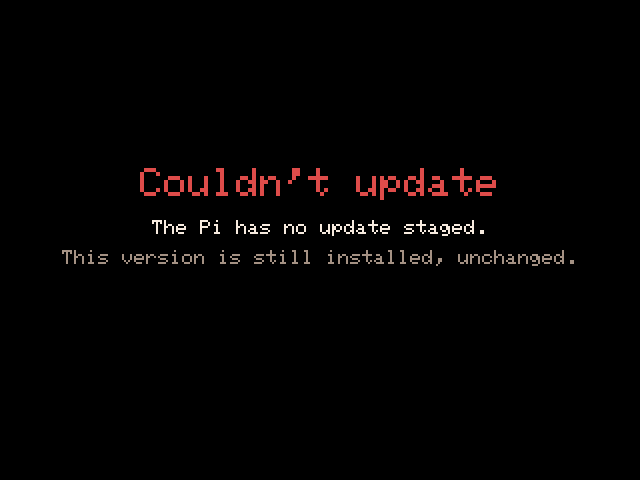
the reason
the reason
The first update over the air, on 2 September, failed with a screen telling me to put the file in the home directory on the Pi. The file was there. The real cause was memory: the update opened a second SSH connection beside the live session, and its first read needed a 16 KB block when the largest free block of internal RAM was 15 KB. So the failure screen names the step that failed. An update now streams into a spare slot, is checked before anything is erased, and is marked good only once it reaches the Pi; if it never does, the next restart puts the old version back.
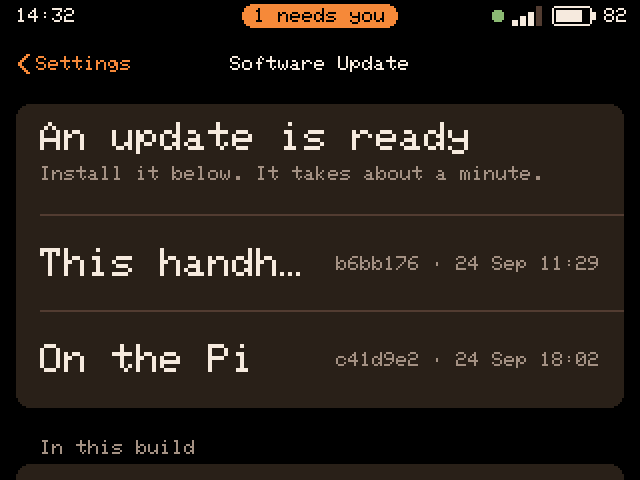
1Ready
The version on the handheld beside the one staged on the Pi. The build ids shown are sample values.
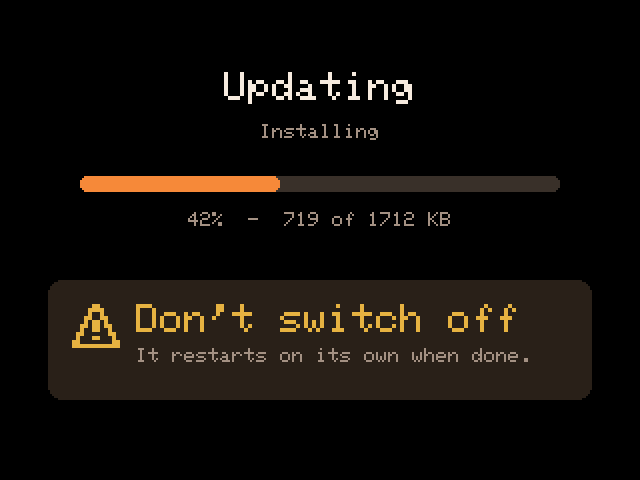
2Installing
Don't switch off: it restarts on its own when done.
3Or, if it can't
It says why, for example that the file isn't on the Pi, and the running version stays.
One pin, one job
decision 5
The camera goes

I’d used the same board as a camera in April 2025, in a different project: an image-recognition device for experimenting with code and LLM calls. On 3 September the cyberdeck got a camera too. That night the key pad died whenever the camera had been used. The firmware handed pin 7 back and forth between the two at five places in the code, and by the next afternoon Claude Code had put the fault down to my wiring and stopped. Then my meter read 20 ohms between pin 7 and ground while the keys were dead, which is what a chip holding the pin low looks like, and unplugging the camera’s ribbon brought the key pad back, though the stored levels had to be learned again. So I dropped the camera. Separately, the analogue microphone, which shared the key pad’s converter, had been swapped in code earlier that afternoon for a digital one on three pins of its own, and I wired it that night.
14pins freedsourceFirmware commit 03784aa, 4 September 2026: 'fifteen pins - 2 4 6 8 9 10 11 12 13 14 15 16 17 21'. The list holds 14 pins; the commit's 'fifteen' also counts GPIO7, which stays with the key pad.
Build day, 24 September
On 24 September I fitted a 2,500 mAh cell in place of the 300 mAh one, asked for an audit of the whole codebase, and then asked for the product to be “complete”: lists that scroll and one voice app. Claude Code turned two audits and two design passes into fourteen milestones, M0 to M13, and I approved the plan that afternoon.
The plan gave every milestone the same gate: a build with zero warnings, an adversarial review of its diff, and a commit, with the checkpoints marked for it also staged on the Pi for an update over the air. In practice the Build Day report counts 13 reviews for the 14 milestones, M3 to M7 were reviewed together, and M3 to M9 and M12 landed as one commit. The staging script does refuse a build with warnings, and I flashed the builds to try in my hand.
That evening the reviews caught about 50 defects before they reached the device. Opening the Wi-Fi picker took the device offline for good. A notification tapped during setup left Home disabled until a hard reset. The standby face could cover the menu while its buttons, Switch off among them, stayed live.
Two bugs did reach my hands: opening a folder on the card rebooted the device, because the card and the screen drove one bus at once, and a misread length prefix kept the tailnet down. Both were found from the device’s logs and fixed within the hour.
